Idle Games Online: Play in Your Browser, No Download
Some games ask you to download gigabytes, create an account and sit through a tutorial before you play a single second. Idle games online ask for none of that. You open a page, press a button, and a number starts growing.
That simplicity is exactly why browser idle games fit so well into everyday life. They live in a tab, they start in seconds, and they keep progressing while you’re doing something else. This post looks at what makes idle games online different from apps and desktop downloads, what a good browser idle game should offer, and how to get the most out of playing one. The examples come from Spacebar Clicker, a free idle clicker that runs entirely in your browser and looks like a Windows 98 desktop.
What “idle games online” actually means
An online idle game is an idle game you play on a website instead of installing it. Everything, from the graphics to the save system, runs inside your browser. On a computer that means a normal tab. On a phone or tablet it means opening the page in your mobile browser.
The idle part works the same as in any other idle game: you earn by clicking at first, spend that money on things that earn automatically, and let your income grow while you’re away. The online part changes how you get to it, and that turns out to matter a lot.
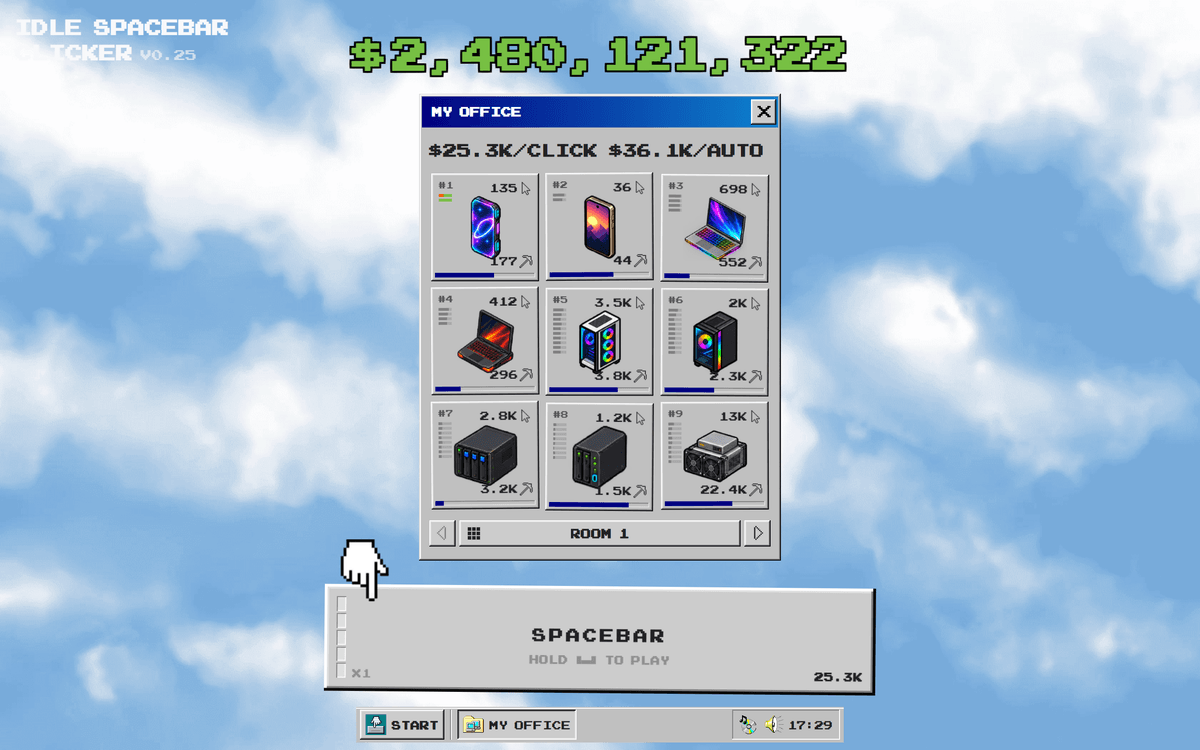 The whole game in one browser tab: your balance, your office, the Spacebar button and a Windows 98 style taskbar.
Why play idle games in a browser?
Nothing to install. No store, no launcher, no update queue. You can start playing on a computer you’ve never used before, and nothing is left behind when you close the tab.
It starts instantly. The first time you open Spacebar Clicker, you get a free phone and a “Press Spacebar!” prompt. One press later, you’ve earned your first dollar.
It’s light. A browser idle game doesn’t need a gaming PC. Spacebar Clicker runs smoothly on ordinary laptops, office computers and phones.
It sits beside everything else. An idle game in a tab is perfect for the gaps in your day. Glance at it between tasks, spend your money, and go back to what you were doing.
It works on more devices. The same page works on desktop and mobile, so you can play wherever you are.
If you mainly play on school or work computers, our post on whether Spacebar Clicker is unblocked explains what to expect on managed networks.
A whole desktop inside a tab
One fun thing about browser games is how much they can fit into a single page. Spacebar Clicker leans into this by recreating a small Windows 98 desktop, complete with a taskbar, a clock and a Start button.
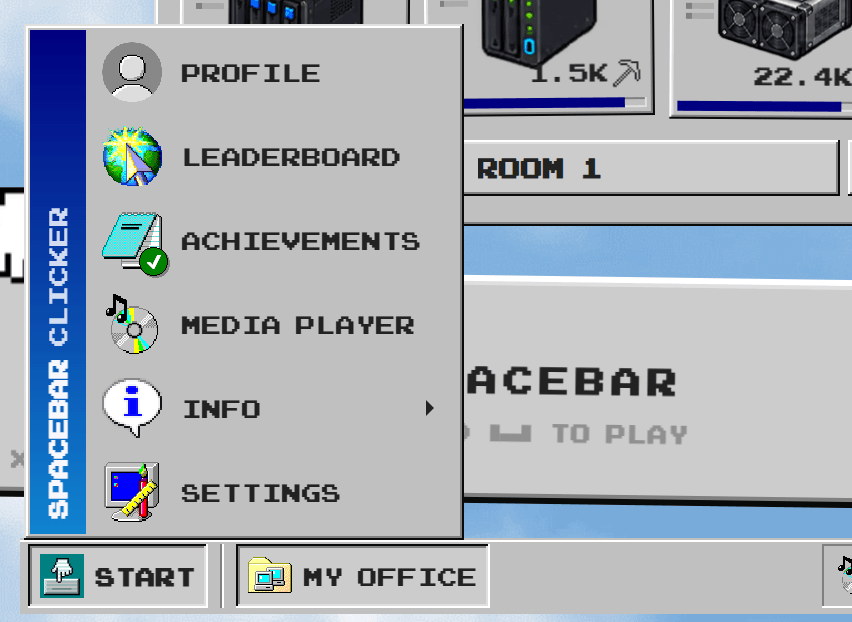 Click Start and everything is one step away: your profile, the leaderboard, achievements, a media player, info and settings.
From the Start menu you can open:
- Profile: sign in to save your progress in the cloud.
- Leaderboard: see how you rank by net worth, top income and total clicks.
- Achievements: 110 levels across 11 tracks, each with a cash reward.
- Media Player: choose the game’s background music.
- Info: how to play, the update history and this blog.
- Settings: wallpapers, color schemes and effects.
Each opens as its own window, just like on an old desktop, and shows up as a button on the taskbar. It turns a simple clicker into a little space that feels like yours.
Music without leaving the tab
Long play sessions need a soundtrack. Instead of a single looping tune, Spacebar Clicker has a built-in Media Player in classic Windows style, with six tracks to choose from, play and stop buttons, a repeat toggle and a volume slider.
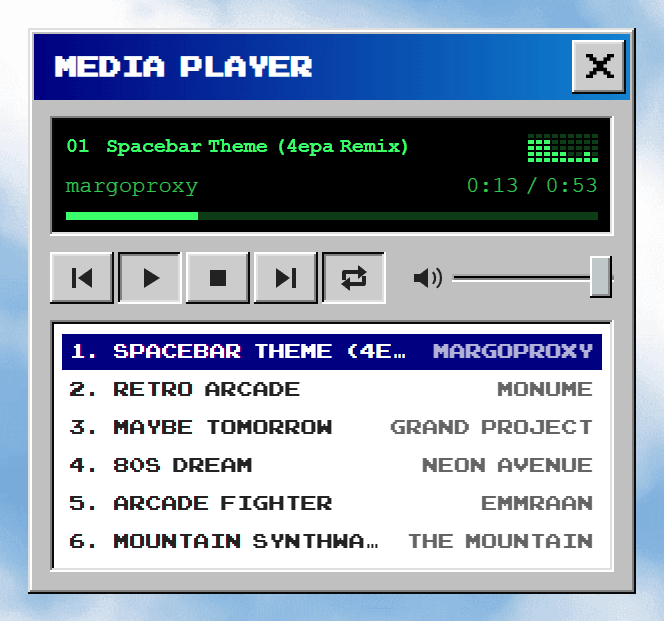 Six tracks to pick from, with play, stop, skip and repeat buttons.
There’s also a volume control in the taskbar with separate sliders for music and sound effects. If you’re playing somewhere quiet, two clicks mute everything.
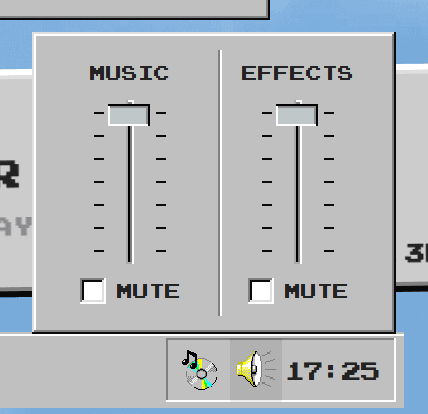 Click the speaker icon in the taskbar for separate Music and Effects sliders. If you’re settling in for a long session, pick a track, turn it up and let the game run.
Your progress, saved
The biggest worry with any online game is losing your progress. A good browser idle game solves this in two ways.
Automatic saving. Spacebar Clicker saves as you play. Close the tab, come back tomorrow on the same browser, and your money, devices, upgrades and achievements are exactly where you left them.
Cloud saves. Signing in through the Profile window is optional, but it stores your progress online. That means you can play at home, continue on a different computer and check in from your phone, all with the same office. Signing in also puts you on the public leaderboard.
It keeps earning while the tab is closed
This is where idle games online really shine. Your devices don’t stop working when you close the game. Spacebar Clicker counts up to 24 hours of automatic income while you’re away, and when you return, a message tells you exactly how much you earned.
That changes how you play. Instead of one long session, you can drop in several times a day:
- Morning: collect what you earned overnight and spend it.
- During the day: a quick visit to buy the next upgrade or device.
- Evening: a longer session with some fast clicking and bigger decisions.
- Before bed: put your money into automatic income so the night pays well.
Each visit takes a minute or two and always starts with a reward. That rhythm is what keeps browser idle games going for weeks.
Playing on a phone
Idle games online work just as well on mobile, and Spacebar Clicker is built for it. On a phone or tablet the page fits the screen, the device grid stacks neatly, and the space bar becomes a big button you tap with your thumb.
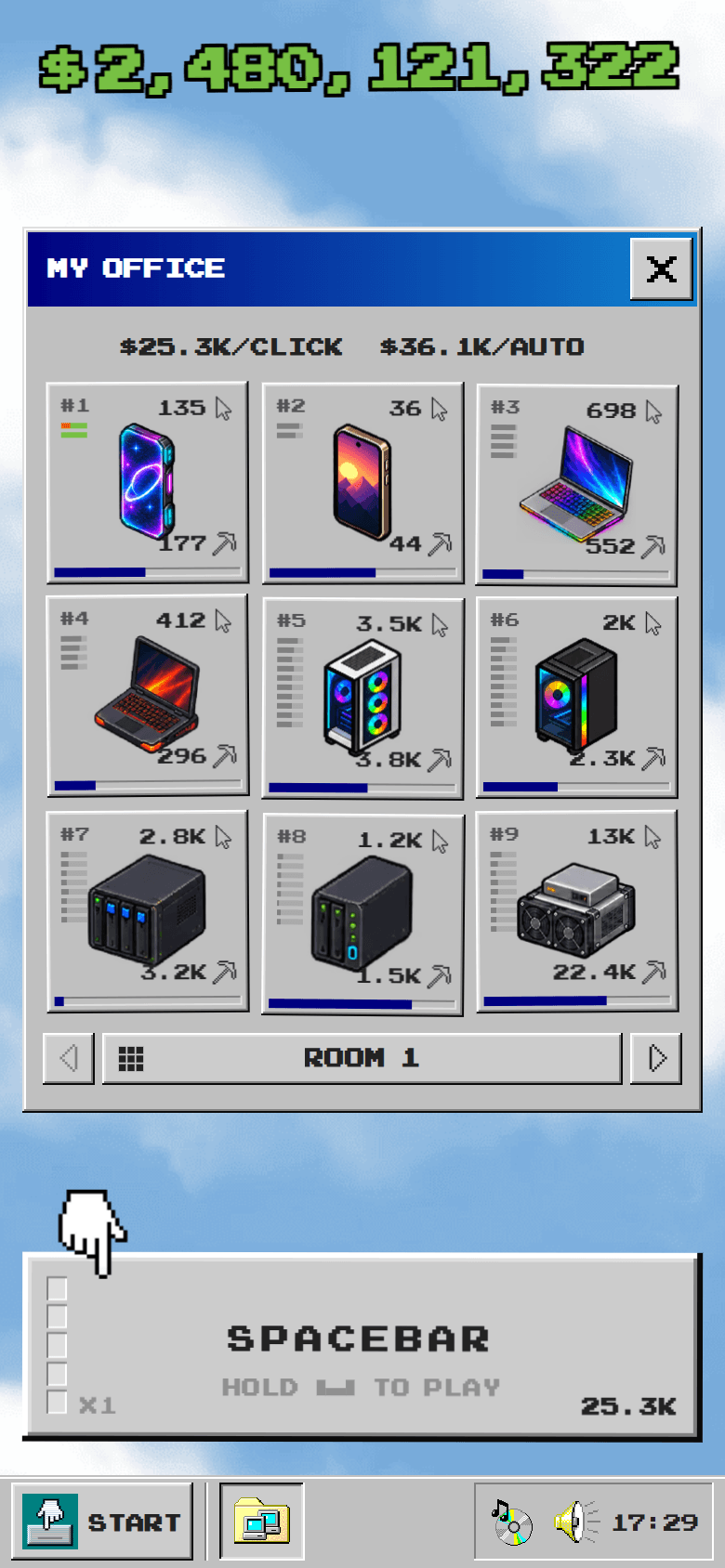 The same office on a phone. Tap the big button instead of pressing the space bar.
Everything else works the same: upgrades, achievements, the Media Player and offline earnings. With cloud saves turned on, your phone and computer share one office, so you can check in from anywhere.
What to look for in an online idle game
Not every browser idle game is worth your time. A few things separate the good ones:
- It starts in seconds, without forcing an account.
- It saves reliably, ideally with an option for cloud saves.
- It earns offline, with a clear message about what you made.
- It has real choices, not just one button to buy.
- It keeps adding layers, so the game changes as you progress.
- It works on mobile as well as desktop.
- It’s pleasant to look at, since you’ll see it a lot.
Our guide to good idle games goes through these signs in more detail.
Tips for playing idle games online
- Pin the tab. A pinned tab stays out of the way but is always one click from your progress.
- Sign in if you switch devices. Cloud saves mean you never have to start over on a new computer.
- Spend before you leave. Money in your balance doesn’t grow anything. Put it into automatic income before closing the game.
- Check in regularly. Short, frequent visits let you reinvest sooner, and reinvesting is what makes idle games snowball.
- Make it yours. Pick a wallpaper and color scheme you like, and a soundtrack from the Media Player.
Quick answers
Can you play idle games online for free? Yes. Many are free, including Spacebar Clicker, which runs in your browser with nothing to download.
Do online idle games save your progress? Good ones do. Spacebar Clicker saves automatically in your browser, and signing in adds cloud saves.
Do idle games keep running when the tab is closed? Your game isn’t running, but it calculates what your devices would have earned. Spacebar Clicker counts up to 24 hours of that offline income.
Can I play on my phone? Yes. On mobile the space bar becomes a big button you tap.
Open a tab and start earning
The best thing about idle games online is how little it takes to begin. Open Spacebar Clicker, press the space bar with your free phone and see how much your office earns by the next time you check in. If the genre is new to you, start with our beginner’s guide to idle clicker games.