

 Play & earn
How many clicks per second can you do?
How the CPS test works
Choose a time, then click the big pad. The timer starts on your first click. When it ends you get your total clicks, your CPS (clicks per second), a rank and a rhythm check that tells you whether your clicks look human or like an auto clicker.
CPS is simply your clicks divided by the seconds. If you click 62 times in 10 seconds, your speed is 6.2 CPS.
You can test over 1, 2, 5, 10, 15, 30 or 60 seconds. Short tests show your peak. Long tests show whether you can keep it up. Your best score is saved separately for every length.
Clicking techniques to test
The pad counts every click the same way, so you can use it to compare techniques. Try each one over the same time and see which gives you the best score.
Regular clicking
One finger, one button, as fast as you can. This is the standard way to measure click speed and the fairest one for comparing with friends. Most people score 5 to 7 CPS.
Jitter click test
Jitter clicking means tensing your forearm until your hand shakes, and letting that vibration press the button. It’s quick, often 10 to 14 CPS, but tiring. Keep runs short and stop if your arm starts to hurt.
Butterfly click test
Butterfly clicking uses two fingers, usually index and middle, alternating on the same button like a pair of wings. Because each finger rests between clicks, it’s easier on your hand than jitter clicking and can reach 12 to 16 CPS.
Drag click test
In drag clicking you slide your finger across the button with light pressure. Friction makes the switch bounce, and each bounce registers as a click. It works best on mice with a matte, grippy surface, and it can produce the highest numbers of all.
Kohi click test
The Kohi click test is the 10-second format that became popular with Minecraft PvP players. To take it here, pick 10 seconds. That’s long enough that a steady rhythm beats a short burst, which makes it a good all-round benchmark.
Auto clicker check
Curious whether an auto clicker is really running, or how regular your own clicking is? Every run ends with a rhythm check: we measure the gaps between your clicks. Real fingers are always a little uneven. A script is nearly perfect. You get a verdict: human or robot.
What is a good CPS?
It depends on how you click:
| Technique | Typical speed |
|---|---|
| Regular one-finger clicking | 5 to 7 CPS |
| Fast regular clicking | 8 to 10 CPS |
| Jitter clicking | 10 to 14 CPS |
| Butterfly clicking | 12 to 16 CPS |
| Drag clicking | 20 CPS and more |
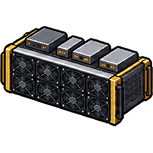
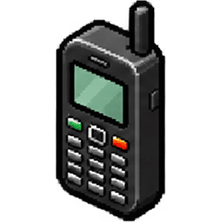
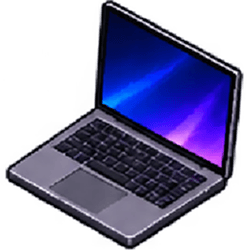
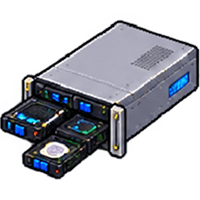
Your rank on this page follows the devices from Spacebar Clicker:
| Clicks per second | Rank |
|---|---|
| Under 5 | Basic Phone |
| 5 to 7 | Laptop |
| 7 to 9 | Gaming PC |
| 9 to 12 | Server Rack |
| 12 and up | Mining Rig |
Remember that test length changes the number. A 1-second burst will always look better than a 30-second run, so compare scores taken over the same time.
How to click faster
- Relax your hand. A stiff grip slows your finger down.
- Stay close to the button. Lift your finger only as far as it takes for the click to reset.
- Find your grip. Claw and fingertip grips usually click faster than a full palm grip.
- Practice in short sets. A few five-second runs with rests between them beat one long, tiring session.
- Learn one technique. Butterfly clicking is the easiest to pick up and the kindest to your hand.
Our guide to how fast you can click covers typical speeds and more tips.
Use your speed in a game
Fast fingers are worth more when every click pays. In Spacebar Clicker, each press earns money and a five-bar speed meter multiplies it by up to x4 when you go fast. You invest it in phones, PCs, servers and mining rigs that keep earning even when you stop.
Prefer the keyboard? Try the spacebar test for a timed score, or the spacebar counter to count presses with no time limit.
Quick answers
What is a CPS test?
A CPS test measures your click speed. You click as fast as you can for a set time, and the result is your clicks per second (CPS), which is your total clicks divided by the number of seconds.
What is a good CPS?
With normal one-finger clicking, most people score between 5 and 7 clicks per second. Above 8 is fast. Techniques like jitter and butterfly clicking can reach 10 to 15, and drag clicking can go higher on the right mouse.
What is the average clicks per second?
The average for regular clicking is around 6 CPS over five to ten seconds. Shorter tests give higher numbers, because it is easier to keep a burst going for one second than for ten.
Which test length should I use?
Five seconds is the most common for a quick check, and ten seconds is the usual standard for comparing scores. Use 30 or 60 seconds to test endurance.
Does the CPS test work on a phone?
Yes. Tap the pad with one or more fingers. Tapping with several fingers usually gives a much higher score than a mouse.
Can the test tell if I use an auto clicker?
After every run the test checks how even your clicks were. Human clicking is always a little uneven, while an auto clicker is almost perfectly regular, so your result is labeled human or robot.
Spacebar Clicker is free and runs in your browser. No download, no sign-up.
 Play now
