Spacebar Challenge: 10 Spam Spacebar Challenges to Try
The space bar is the biggest key on your keyboard, and it turns out to be the perfect button for a challenge. It’s easy to hit, you can use any finger or several at once, and the urge to spam spacebar as fast as you can is strangely satisfying. All you need is a way to count and time the presses.
That’s what this list is for. Below are 10 spacebar challenges, from quick 10-second sprints to a 50,000-press marathon, with clear rules for each one so you can compare scores with friends. Every challenge uses one of two free tools: the spacebar counter, which counts every press with no time limit, and the spacebar test, which times you over a set length and gives you a speed and a rank.
Before you start
A few quick rules make every challenge fair:
- Holding the key doesn’t count. Both tools ignore key repeat, so only real separate presses are counted. Spam it, don’t hold it.
- Pick your finger rule before you start, and make everyone use the same one.
- Warm up first. Do a short run before you go for a real score.
- Take breaks. Fast pressing is tiring. Stop if your hand or wrist hurts.
On a phone or tablet, both tools show a big Spacebar button you can tap instead, so all of these work on touch screens too.
1. The 100-Press Sprint
Tool: Spacebar counter, goal set to 100.
The classic. Set the goal to 100 and press the space bar as fast as you can. The clock starts on your first press and stops the moment you hit 100. Your best time is saved, so you can come back and try to beat it.
Good time: under 15 seconds. Great: under 12. Elite: under 9.
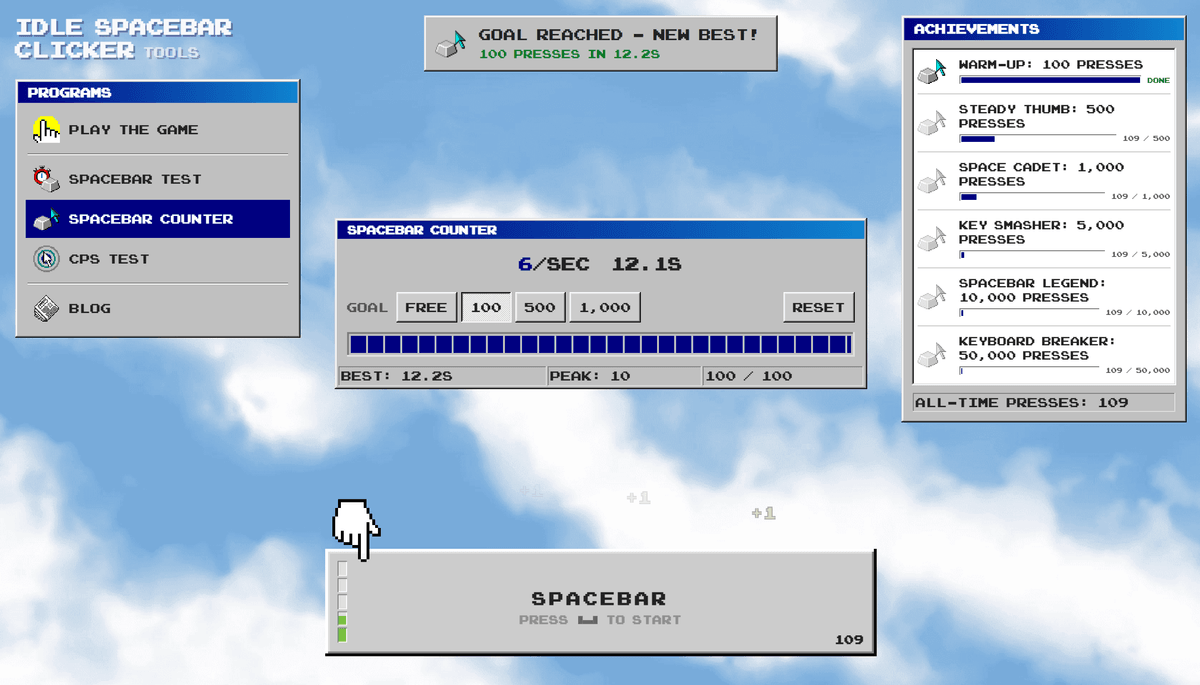 100 presses in 12.2 seconds. The counter shows your best time and your peak speed for the run.
2. The 500-Press Endurance Run
Tool: Spacebar counter, goal set to 500.
Five times longer, and a completely different challenge. You can’t sprint the whole way, so the trick is to find a pace you can hold. Watch the peak speed on the status bar: if your peak is far above your average, you started too fast.
Good time: under 90 seconds. Great: under 70.
3. The 1,000-Press Space Cadet
Tool: Spacebar counter, goal set to 1,000.
A thousand presses unlocks the Space Cadet achievement on the counter, and it’s a real test of stamina. Switch fingers whenever one gets tired. Most people need between two and three minutes.
The counter keeps an all-time total across every session, with six achievements along the way:
| Achievement | All-time presses |
|---|---|
| Warm-up | 100 |
| Steady Thumb | 500 |
| Space Cadet | 1,000 |
| Key Smasher | 5,000 |
| Spacebar Legend | 10,000 |
| Keyboard Breaker | 50,000 |
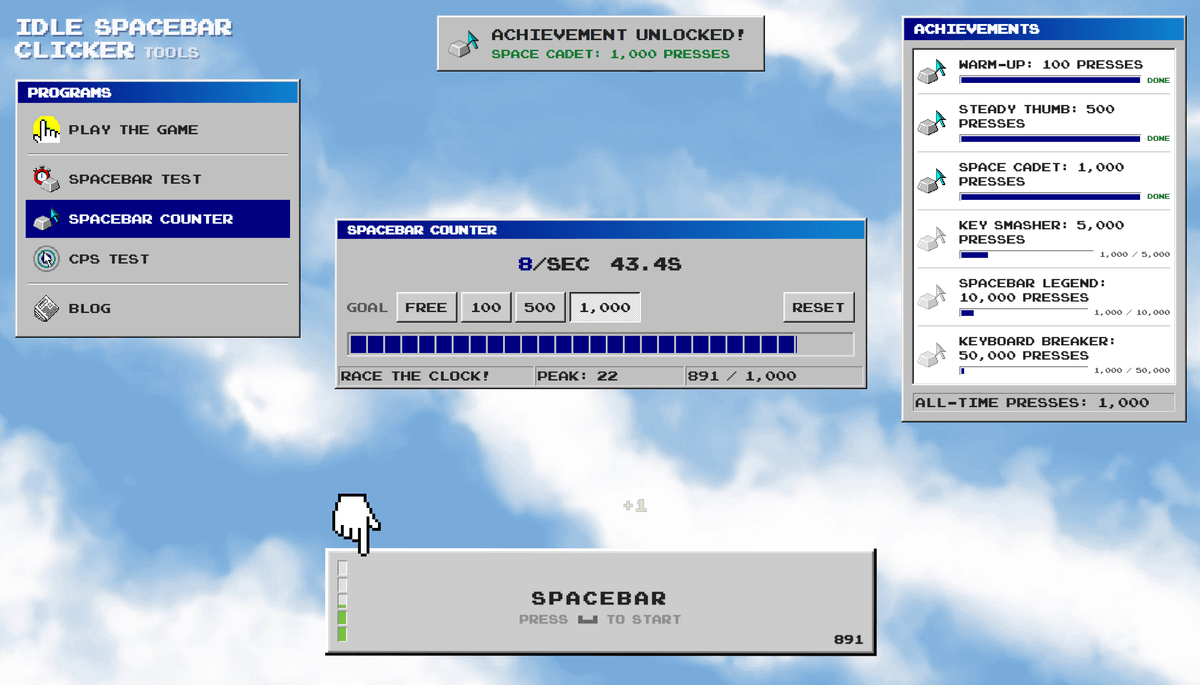 The Space Cadet achievement pops up at 1,000 all-time presses. Four more to go after that.
4. The 10-Second Showdown
Tool: Spacebar test, 10 seconds.
The best challenge to play with friends. Everyone gets one 10-second run on the spacebar test, and the highest presses per second wins. The test gives you a rank from Basic Phone to Mining Rig, so even the losers get a title.
Use Copy result after your run to paste your score into a group chat. It includes your speed, your total presses and your rank.
| Presses per second | Rank |
|---|---|
| Under 4 | Basic Phone |
| 4 to 7 | Laptop |
| 7 to 10 | Gaming PC |
| 10 to 13 | Server Rack |
| 13 and up | Mining Rig |
5. The One-Finger Challenge
Tool: Spacebar test, 10 seconds.
Same as the showdown, but you can only use one finger. No drumming, no thumbs, no swapping. This shows your raw finger speed and usually knocks a few presses per second off people’s scores. Then try it with your thumb and compare: most people are surprised which one is faster.
6. The Weak-Hand Challenge
Tool: Spacebar test, 10 seconds.
Do the showdown with your other hand. Right-handed players use the left, and the other way round. The gap between your two hands is usually bigger than you’d expect. Bonus round: alternate hands, one press each.
7. The Any-Key Drum Solo
Tool: Spacebar test with Any key ticked, 5 seconds.
Tick the Any key box and every key on the keyboard counts, not just the space bar. Now you can drum with all ten fingers on different keys. It’s a whole different game, and scores jump. Try it after the one-finger challenge to see how much speed a few extra fingers give you.
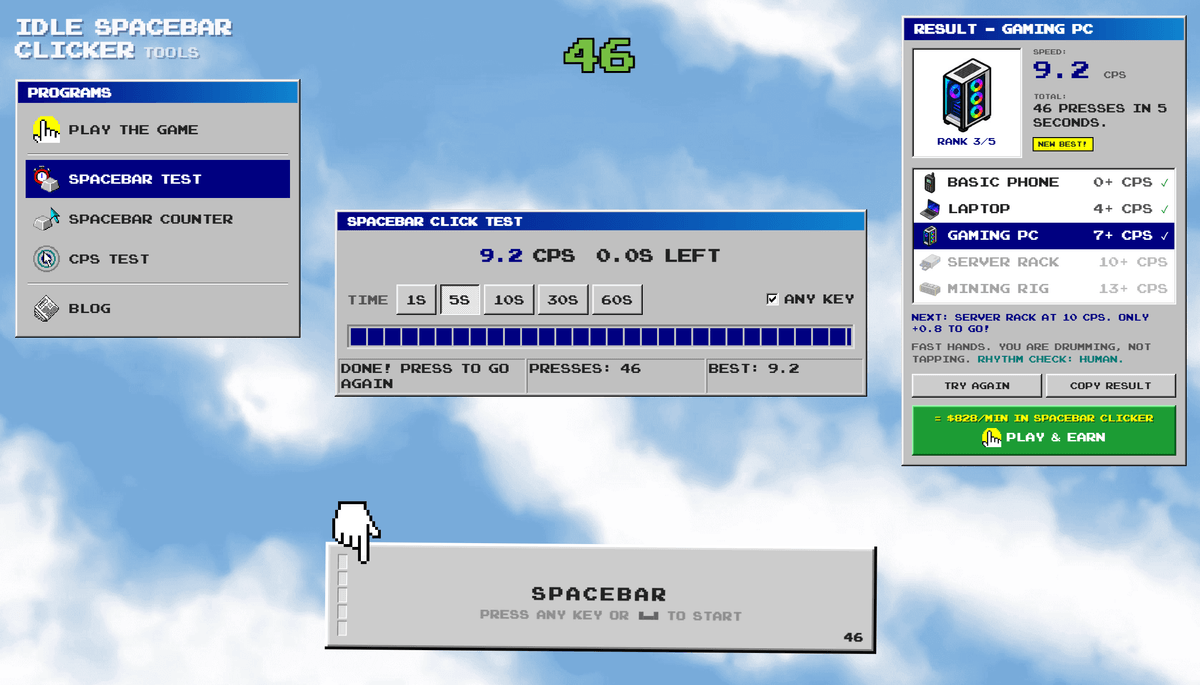 With Any key on, every key counts. 46 presses in 5 seconds is 9.2 per second and the Gaming PC rank.
8. The Precision Challenge
Tool: Spacebar test, 10 seconds.
Instead of going as fast as possible, try to land on an exact number. The target is exactly 50 presses in 10 seconds, which is 5.0 per second. Closest wins. It’s much harder than it sounds, because you have to keep a steady rhythm without watching the counter.
Variations: exactly 30 presses (3.0 per second), or exactly 100 (10.0 per second) for the brave.
9. The 60-Second Spacebar Spam Test
Tool: Spacebar test, 60 seconds.
A full minute of spamming the space bar. This is where technique matters: people who drum with two or three fingers usually beat people who hammer with one. Watch how the rank compares with your 10-second score. If your speed drops a lot, your pace at the start was too high.
The test also runs a rhythm check after each run. It looks at the gaps between your presses and labels the run human or robot. A full minute with a steady rhythm will still come out human, because no real hand is perfectly even.
10. The Keyboard Breaker
Tool: Spacebar counter, free mode.
The long game. Reach 50,000 all-time presses on the counter to unlock Keyboard Breaker, its last achievement. You don’t do this in one go. Leave the counter open while you take a break, and add a few hundred presses whenever you feel like it. Your all-time total is saved in your browser, so it keeps growing between visits.
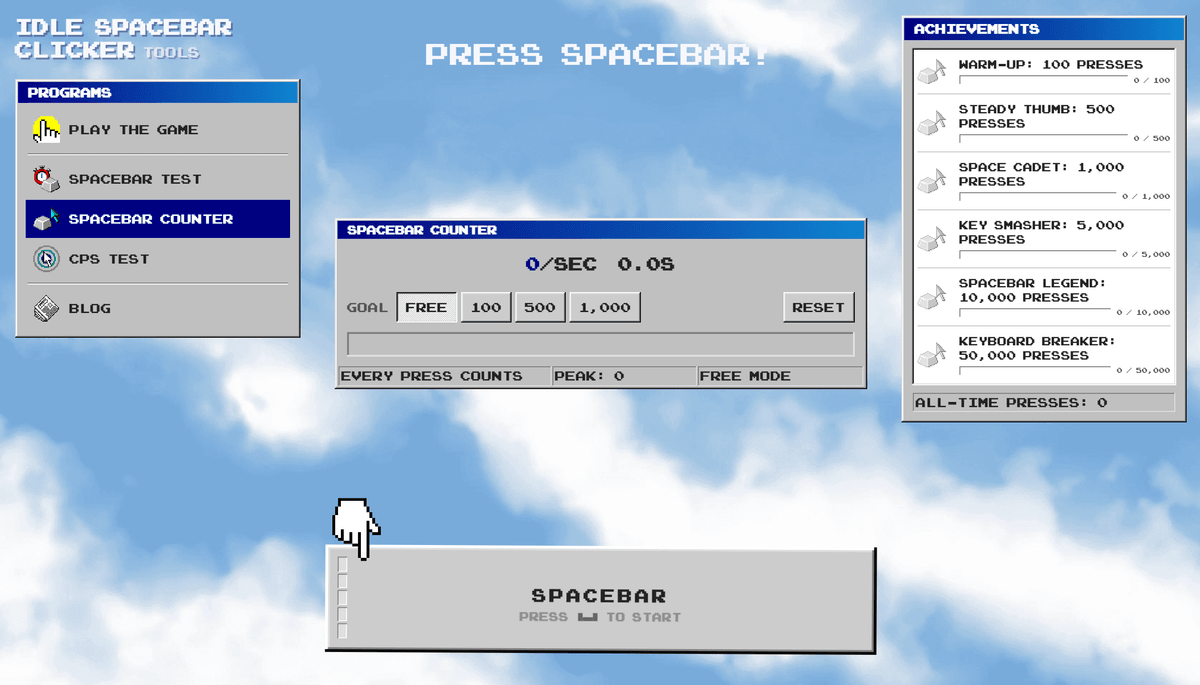 Free mode counts every press with no limit. The Achievements panel tracks your all-time total.
How to run a spacebar challenge with friends
- Pick three challenges. A good mix is one sprint (the 100-Press Sprint), one showdown (the 10-Second Showdown) and one fun round (the Precision Challenge or the Any-Key Drum Solo).
- Agree on the rules. Same device, same finger rule, one warm-up each.
- Take turns on the same keyboard, or play on your own devices and share results with Copy result.
- Score it. Three points for first place in each round, two for second, one for third.
- Rematch. The tools save your best scores, so the next round starts with a target to beat.
Tips to spam spacebar faster
- Drum, don’t hammer. Two or three fingers taking turns are much faster than one finger alone.
- Stay close to the key. Lift only as far as you need for the key to reset.
- Relax your wrist. Let it rest on the desk and move only your fingers.
- Pace long runs. For 500 presses and up, start a little below your top speed.
- Rest between rounds. Your hand recovers fast, and your next score will be better for it.
Want to know where your speed stands? Our guides on how fast you can click and the average clicks per second put your score in context.
Make your spam pay off
All that space bar spamming can earn you something. In Spacebar Clicker, every press of the space bar earns money, and a five-bar speed meter multiplies it when you go fast: x1.3 from 4 presses per second, all the way to x4 at 19. You invest the money in phones, PCs, servers and mining rigs that keep earning even when you stop.
Your result on the spacebar test even shows what your speed would be worth in the game per minute. The game ignores anything above 20 presses per second and only counts real key presses, so it rewards fair, honest spamming.
Quick answers
What is the spacebar challenge? It’s any challenge built around pressing the space bar: the fastest time to 100 presses, the most presses in 10 seconds, or the longest run without stopping. You count and time the presses with an online tool.
How do I count my spacebar presses? Use the free spacebar counter. It counts every press with no time limit, and you can set a goal of 100, 500 or 1,000 presses to race the clock.
Does holding the space bar count? No. Both the counter and the spacebar test ignore key repeat, so only separate presses count.
What’s a good score for 100 presses? Under 15 seconds is good, under 12 is great, and under 9 is very fast.
How many times can you press the space bar in 10 seconds? Most people manage 60 to 80 presses, or 6 to 8 per second. With several fingers drumming, 100 or more is possible.
Can I do the spacebar challenge on a phone? Yes. Both tools show a big Spacebar button you can tap. Use two thumbs for the best scores.
Pick a challenge
Start with the classic: open the spacebar counter, set the goal to 100 and see how fast you get there. Then challenge a friend to beat your time. When you want your presses to count for something, Spacebar Clicker is free and runs in your browser.