How Fast Can You Click? Spacebar Speed Explained
How fast can you click? It’s one of those questions that sounds trivial until you try it. Most people guess they can press a key far faster than they really can, and most are surprised by how quickly their speed drops after the first few seconds.
Clicking speed is usually measured in clicks per second (CPS). This guide covers what counts as a fast CPS, why the space bar is a good key for speed, how to get faster without hurting your hands, and how speed actually pays off in an idle game like Spacebar Clicker, where clicking faster multiplies every click you make.
What counts as a fast click speed?
There’s no official scale, but most people land somewhere in these ranges when they press as fast as they can for about ten seconds:
| Clicks per second | What it usually means |
|---|---|
| Under 5 | Relaxed, casual clicking |
| 5-7 | Typical for most people trying their best |
| 7-10 | Fast, especially if you can keep it up |
| 10-14 | Very fast, usually with a technique |
| 15+ | Rare to sustain for more than a few seconds |
Two things matter more than your peak number:
- How long you can hold it. Almost anyone can hit a high rate for a second or two. Holding it for ten seconds or more is the real test.
- How steady it is. An even rhythm beats a frantic burst that falls apart halfway through.
Why the space bar is good for speed
The space bar is the biggest key on the keyboard, and that makes it great for fast clicking. You don’t need to aim. You can press it with your thumb, with any finger, or with several fingers taking turns. That last trick is the key to most fast times, and we’ll get to it below.
It’s also why Spacebar Clicker is built around it. In the game, every press of the space bar earns money, and on a phone or tablet the space bar becomes a big on-screen button you tap instead.
What your speed says about you
Spacebar Clicker has a five-bar speed meter on the left of its big button. It reads your click rate in real time and turns it into a multiplier on every click you make. So the game gives you a fun way to rate yourself:
| Your speed | Meter | Multiplier | You are… |
|---|---|---|---|
| Under 4 per second | 0 bars | x1 | The Relaxer. You’re here for the vibes, and that’s fine. |
| 4+ per second | 1 bar | x1.3 | The Steady Tapper. A comfortable rhythm you can keep up for ages. |
| 7+ per second | 2 bars | x1.5 | The Warmed Up. You’ve started to take this seriously. |
| 12+ per second | 3 bars | x2 | The Speed Demon. Most people can’t hold this for long. |
| 16+ per second | 4 bars | x3 | The Pro. You’ve found a technique and it’s working. |
| 19+ per second | 5 bars | x4 | The Legend. The meter turns red. Very few people get here. |
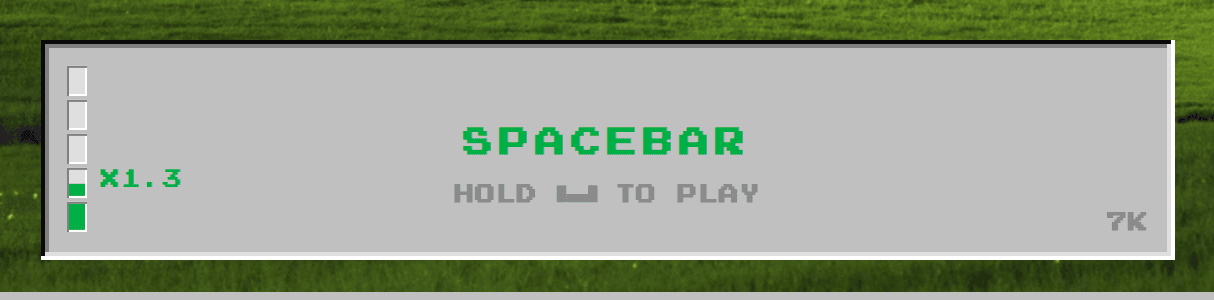 Around five clicks per second: one bar and a x1.3 multiplier.
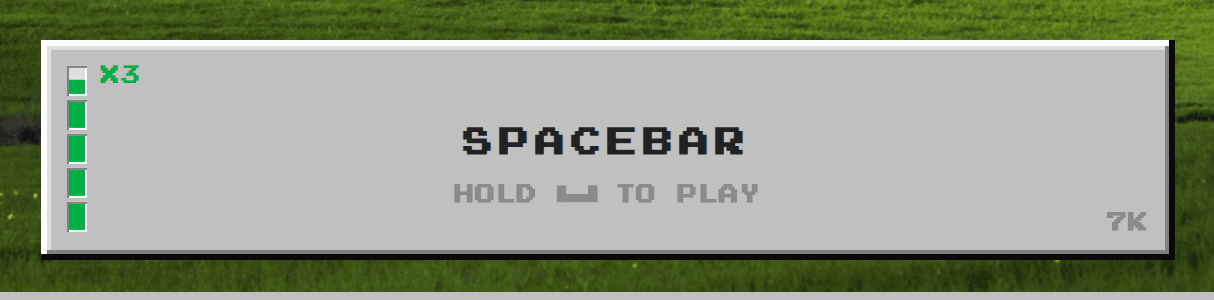 Around 18 clicks per second: four bars and x3 on every click.
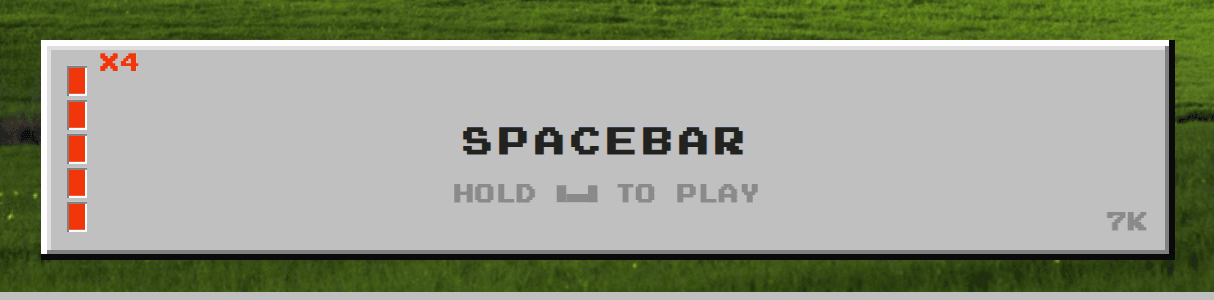 At the very top of the meter, every bar goes red and every click is worth four times as much.
A couple of details make the meter feel fair:
- It averages your rate over about a second and a half, so a single quick double-tap doesn’t count as a burst, and a single slow press doesn’t wreck your level.
- It gives you a little slack on the way down. Once you’ve earned a level, you keep it until your speed drops below about 85% of that level’s threshold, so the meter doesn’t flicker when your rhythm wobbles.
- There’s a ceiling. The game ignores anything past 20 presses per second, and only counts real key presses or taps. Auto-clickers and scripts don’t help, so the meter only ever rewards real speed.
How to test your click speed
You don’t need special software to get a rough number:
- Open a timer for 10 seconds.
- Press the space bar as fast as you can until it ends, counting with a key counter or a game that counts presses.
- Divide your total by 10. That’s your CPS.
Do it three times and take the middle result, since the first try is usually slower (you’re warming up) and the third is often slower too (you’re tired).
Or skip the math and just watch the meter in Spacebar Clicker. If you can hold three bars, you’re doing at least 12 per second. If the bars turn red, you’re at 19 or more.
How to click faster
These techniques work on the space bar and on a touch screen.
Use more than one finger. This is the big one. Instead of hammering with one finger, rest two or three fingers on the space bar and drum them in turn, like tapping on a table. Each finger only has to move a third as often, so your total speed goes up and your hand tires much more slowly.
Keep your hand relaxed. Tension makes you slower, not faster. Let your wrist rest on the desk and move only your fingers. If your forearm starts to burn, you’re squeezing too hard.
Find a rhythm first, then speed up. Start at a pace you can hold easily, then push it a little. A steady rhythm at 10 per second beats a messy one that peaks at 13 and drops to 6.
Use short bursts. Most people can hold their top speed for a few seconds at most. In a game that rewards speed, a few short bursts with breaks in between usually earn more than one long, slowing grind.
On a phone, use two thumbs. Alternate your thumbs on the button the same way you’d alternate fingers on a keyboard.
Take breaks. Fast clicking for a long time is hard on your hands. Stop if anything hurts, stretch your fingers and wrists, and don’t try to set records for hours at a time.
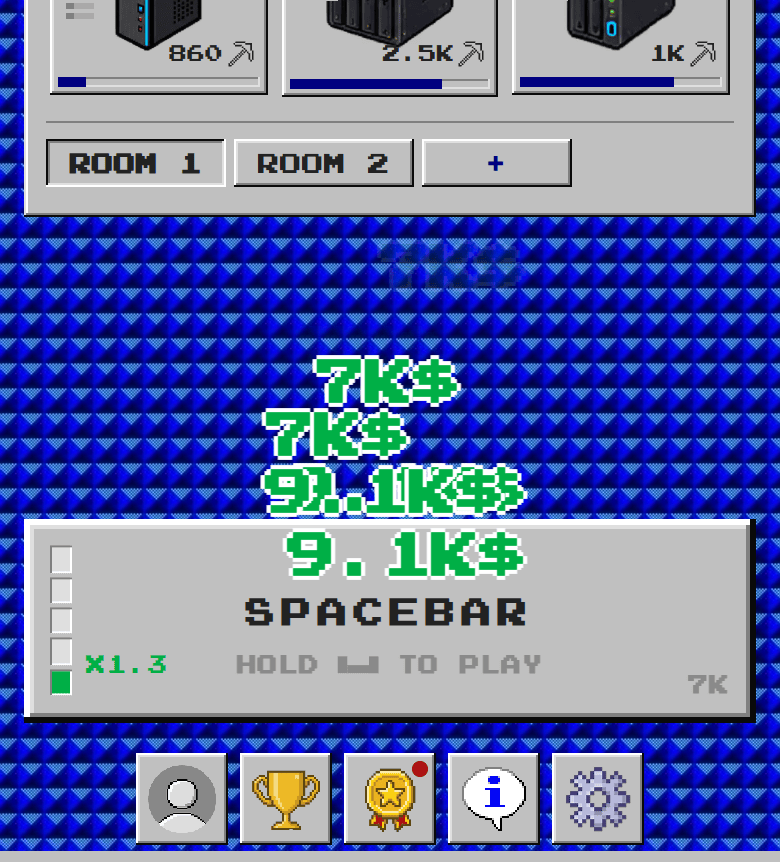 On a phone, the space bar becomes a big button. Two thumbs work best.
Does click speed matter in an idle game?
In a lot of idle games, clicking stops mattering once automatic income takes over. In Spacebar Clicker it keeps mattering, for three reasons.
The multiplier stacks with your upgrades. As your devices get better, every click is worth more money, and the speed meter multiplies that. A x4 burst late in the game is worth far more than the same burst at the start.
Clicks feed achievements. The Clicker achievement track has ten levels, from 100 presses all the way up to 2,000,000. At a steady 6 per second, that last level is over 90 hours of pressing, so faster clicking gets you there much sooner. Each level pays out a cash reward.
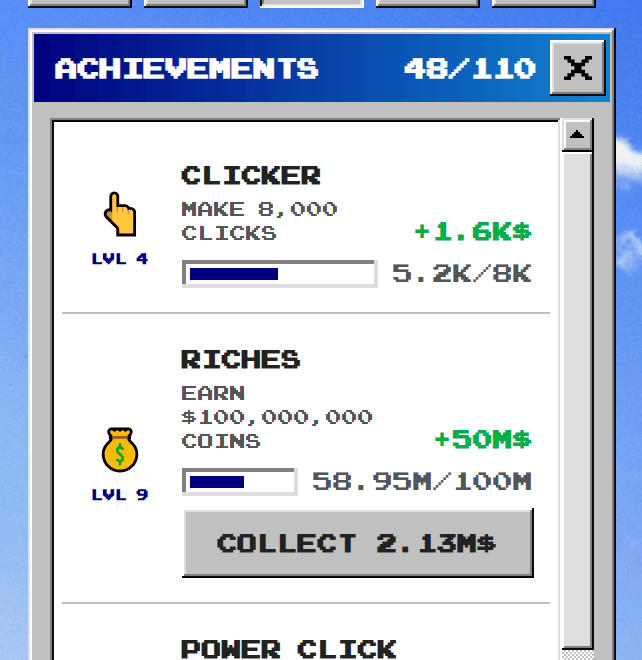 The Clicker track rewards total presses. Faster clicking gets you through it sooner.
Speed pairs well with Click Boost. The game’s timing minigame banks a multiplier that’s paid out on your next click. The more that click is worth, the bigger the payout.
That said, Spacebar Clicker is still an idle game. Your devices earn on their own while you’re away, so you never have to click. Speed is a bonus for active play, not a requirement. If you’re new to how the two kinds of income fit together, our beginner’s guide to idle clicker games explains it.
A simple plan for faster progress
- Put early upgrades into click income. In the first stretch of the game, more money per click makes every burst stronger.
- Click in short bursts at your best speed. Aim to hold at least two or three bars instead of clicking slowly for a long time.
- Rest while your devices work. Automatic income keeps you moving forward between bursts.
- Use the multiplier with Click Boost. Build up a big payout, then cash it in on a click that’s already worth a lot.
- Spend your bigger income wisely. Once clicks are paying well, Enhance can multiply your best parts even further.
Quick answers
What’s a good click speed? For most people, 6-8 clicks per second is a solid result over 10 seconds. Anything above 10 is fast.
What’s the average clicks per second? Most people trying their hardest land somewhere around 5-7 per second.
Is the space bar faster than a mouse button? It can be, because it’s big enough to drum on with several fingers.
Can I use an auto-clicker in Spacebar Clicker? No. The game only counts real key presses and taps, and ignores anything over 20 per second.
What’s the highest multiplier for clicking fast? x4, at 19 or more clicks per second. All five bars of the meter turn red.
Test yourself
Want to see where you land? Open Spacebar Clicker, put two or three fingers on the space bar and see how many bars you can light up. The game is free, runs in your browser and saves your progress automatically, so every click you make counts toward something.